












Install and Activate your eSIM
Buy your eSIM before
you travel.
Install it in minutes
with the app or QR code.
Connect automatically
when you arrive.
Select the device on which you are going to complete the process

Select the type of installation you wish to perform
Before you begin installation with Roamvy app, there are a few important points to be aware of:
- Your device is unlocked and eSIM compatible.
- You’re connected to a stable Wi-Fi network.
Before you begin manual installation, there are a few important points to be aware of:
- Your device is unlocked and eSIM compatible.
- You’re connected to a stable Wi-Fi network.
Before you begin installation with a QR code, there are a few important points to be aware of:
- Your device is unlocked and eSIM compatible.
- You’re connected to a stable Wi-Fi network.
Let’s get started together
01
Open the Roamvy app
Sign in and go to My eSIMs at the bottom of the screen.
02
Select your plan
Choose the plan you want to install, then tap Install eSIM Now.
03
Follow the on-screen steps
The app will guide you through the installation process, keep WiFi on and stay connected.
eSIM installation guide with Roamvy App
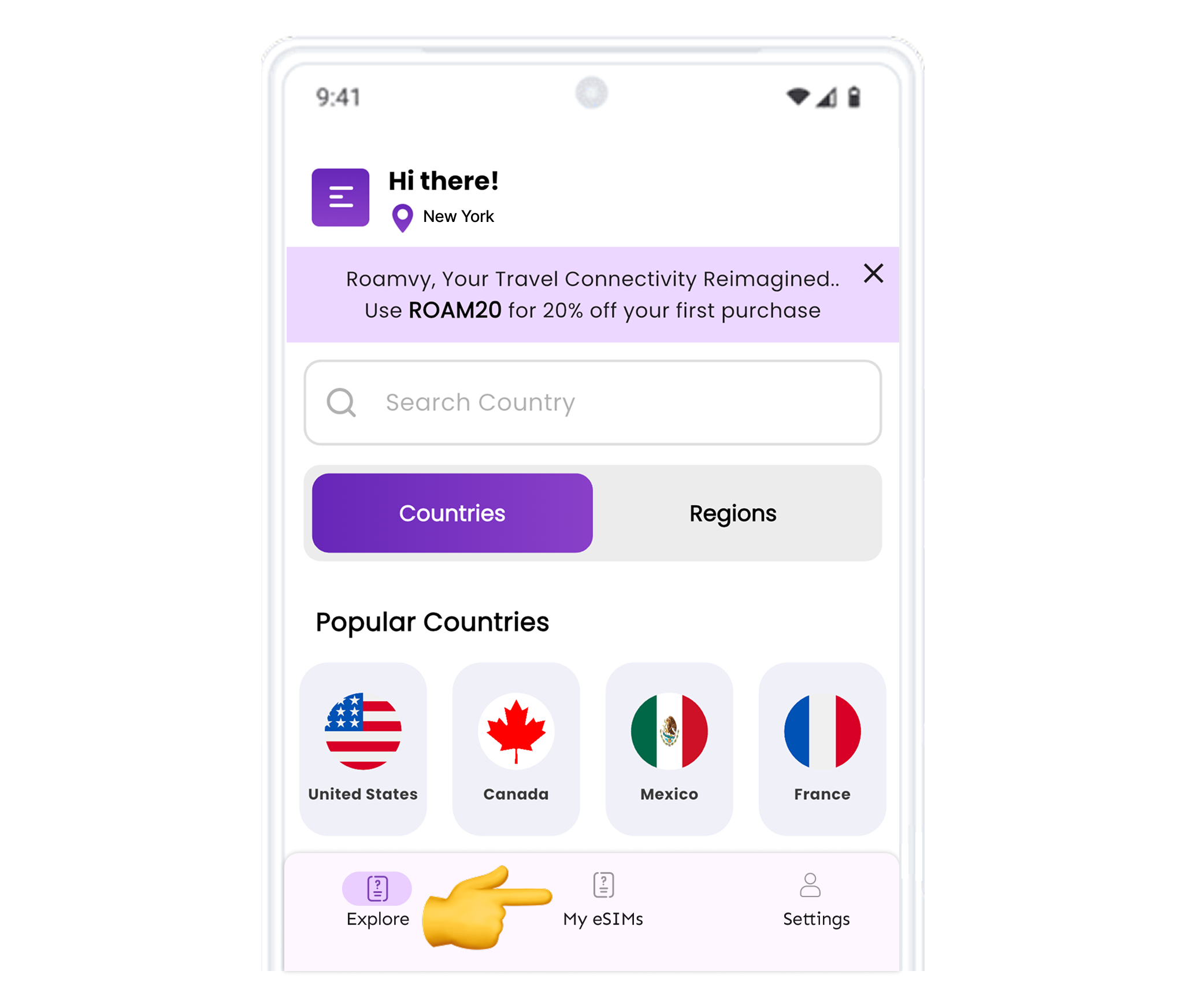
Open the Roamy app
Open app and click on My eSIMs at the bottom of the page.
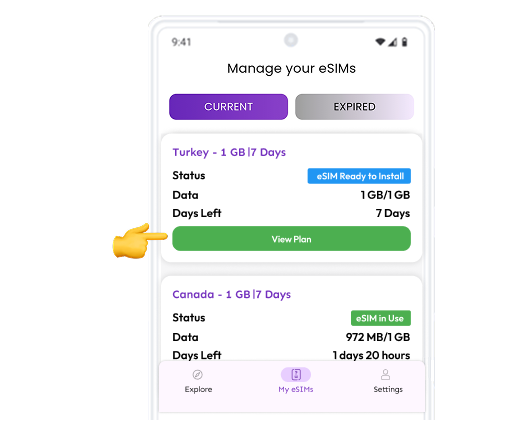
Choose Plan
Choose the plan you want to install, then tap Install eSIM Now.
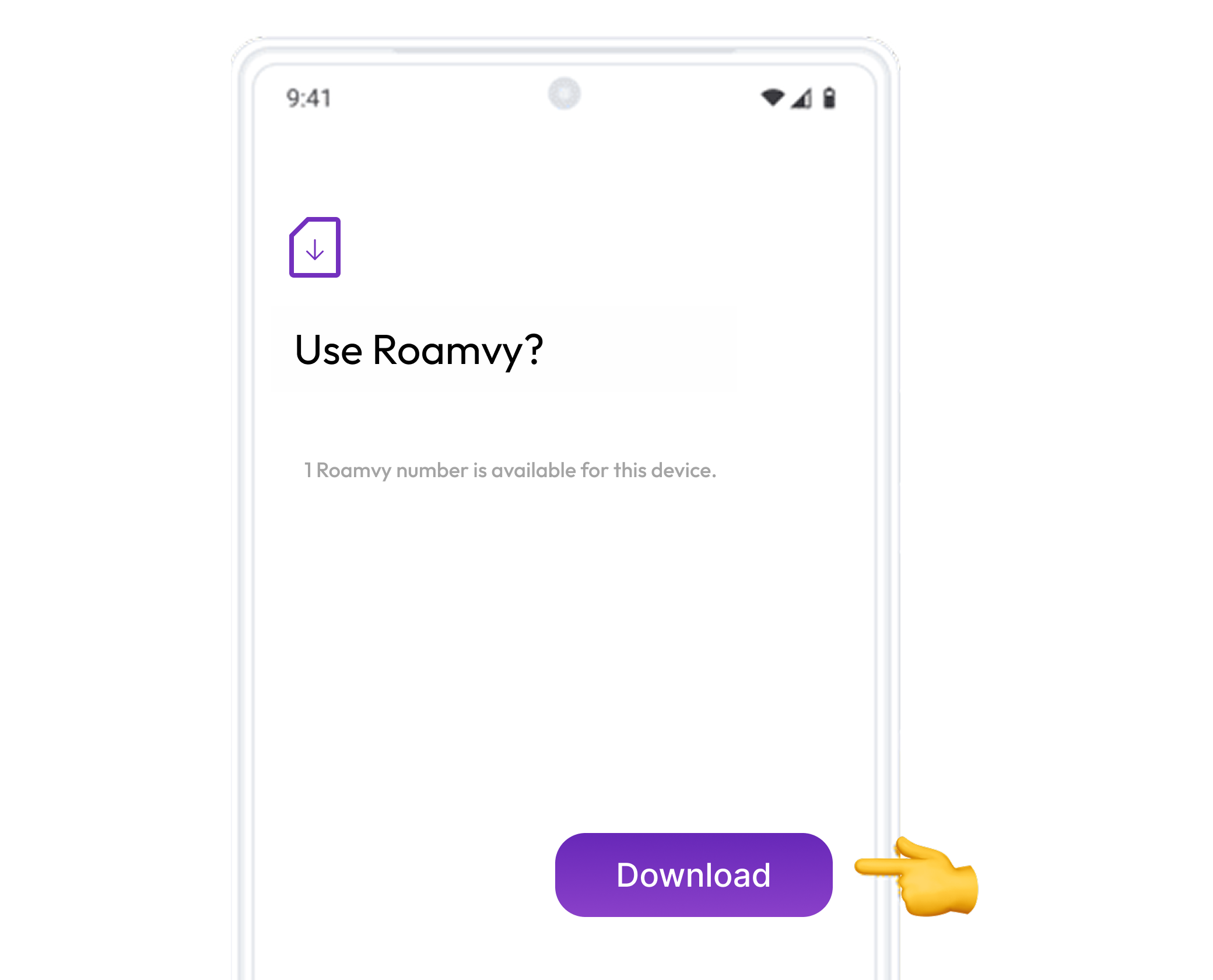
Download your mobile plan
Wait a few seconds until the plan is identified. Press “Download” to add it to your device.
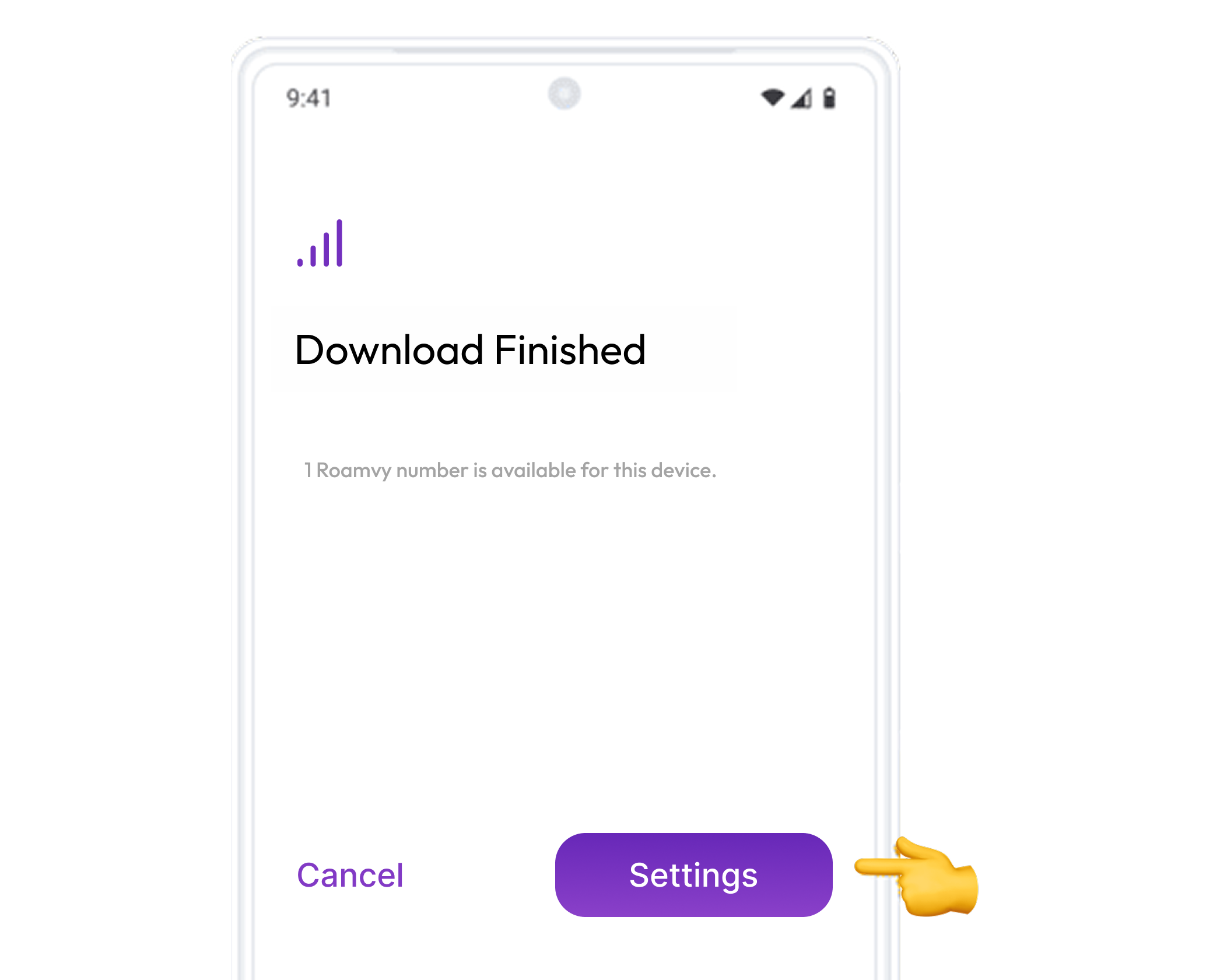
Installation confirmation
Your eSIM that is associated with this data plan is now installed.
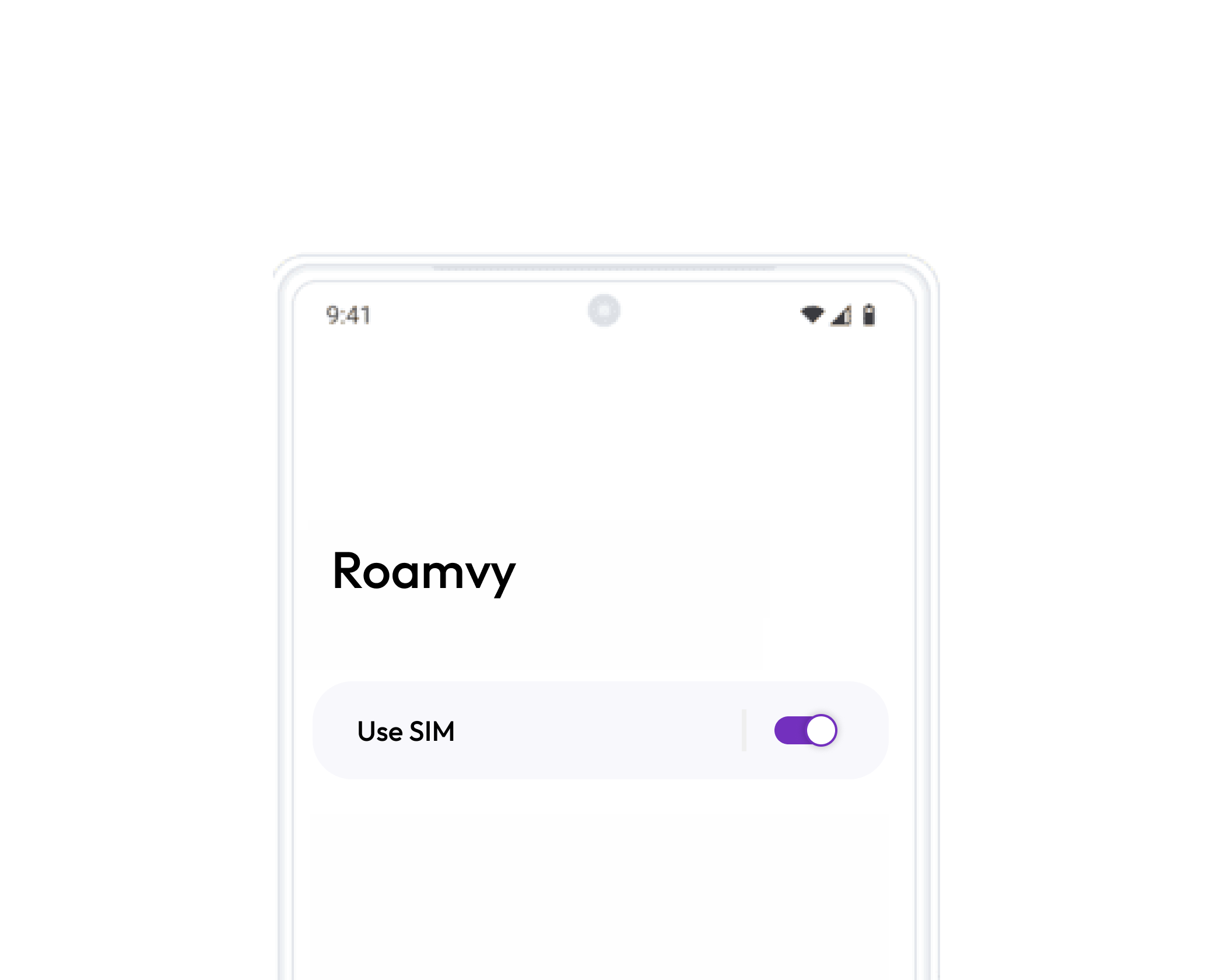
Label your new data plan
Tap the eSIM you just added, then select edit Icon in top right corner to rename it to Roamvy — this makes it easy to identify later.
Tap Done to save your changes.
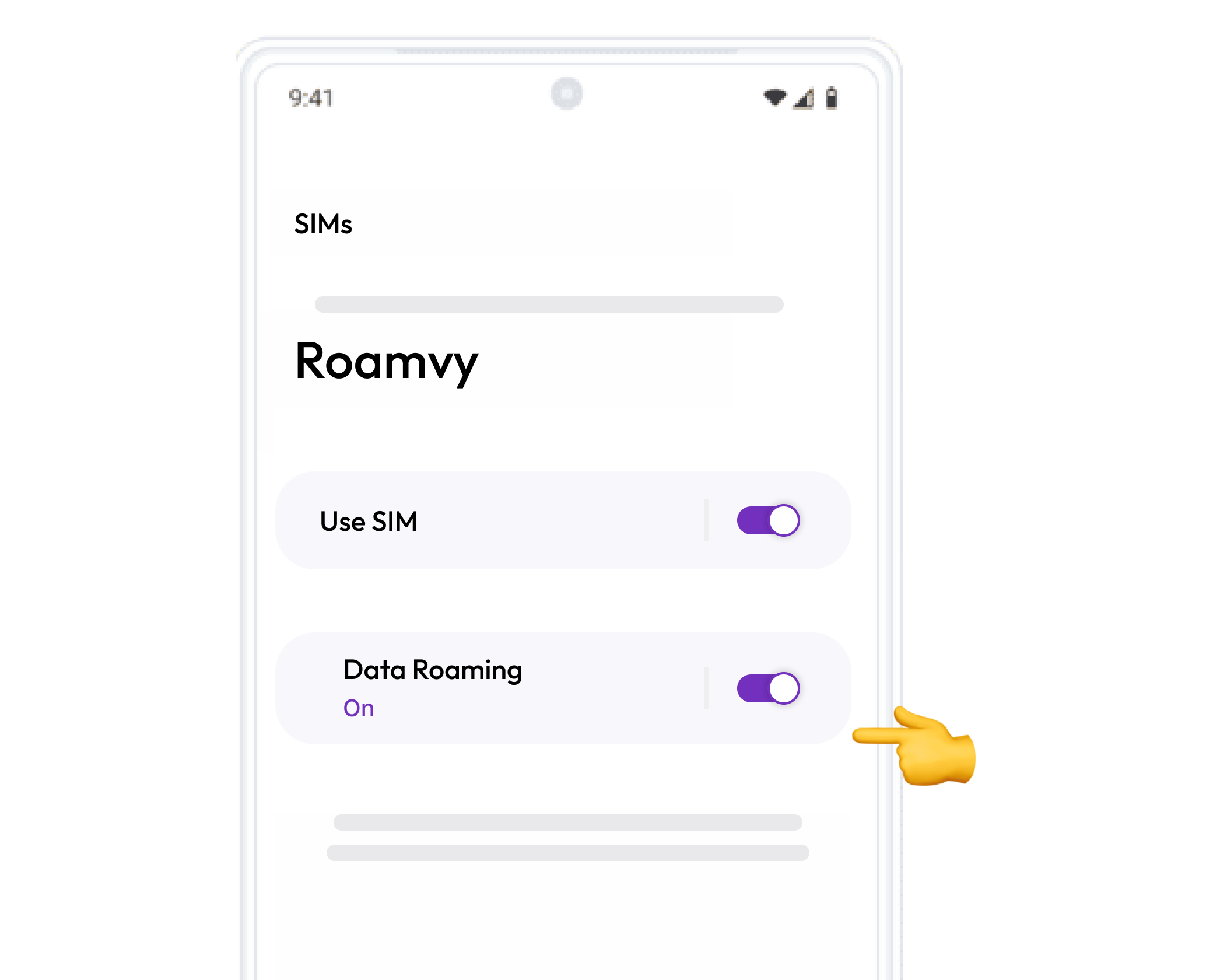
Turn on Data Roaming
Open Settings and go to Network & Internet.
Tap SIMs, then select your newly added Roamvy eSIM.
Scroll down and turn Data Roaming ON to activate your plan.
Congratulations! Your plan has now been installed and is ready to activate.
Download Activation GuideThat’s it! Your plan is now active and you can start using your data.
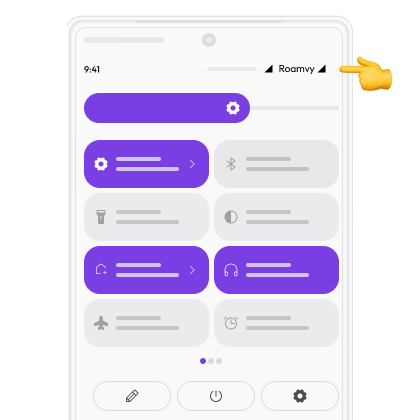
How do you know that your eSIM is active?
- 01. Make sure there is at least one bar in the signal icon on your phone.
- 02. In your device’s settings, go to “Network & Internet”, click on the “SIM” option and select your new Roamvy eSIM from the list. Verify that your plan and the “Roaming” option are activated.
You can check in two ways:
Don’t worry, we are here for you!
We know this process is not easy, so you can find us 24/7 in our Support Chat.
Chat with us